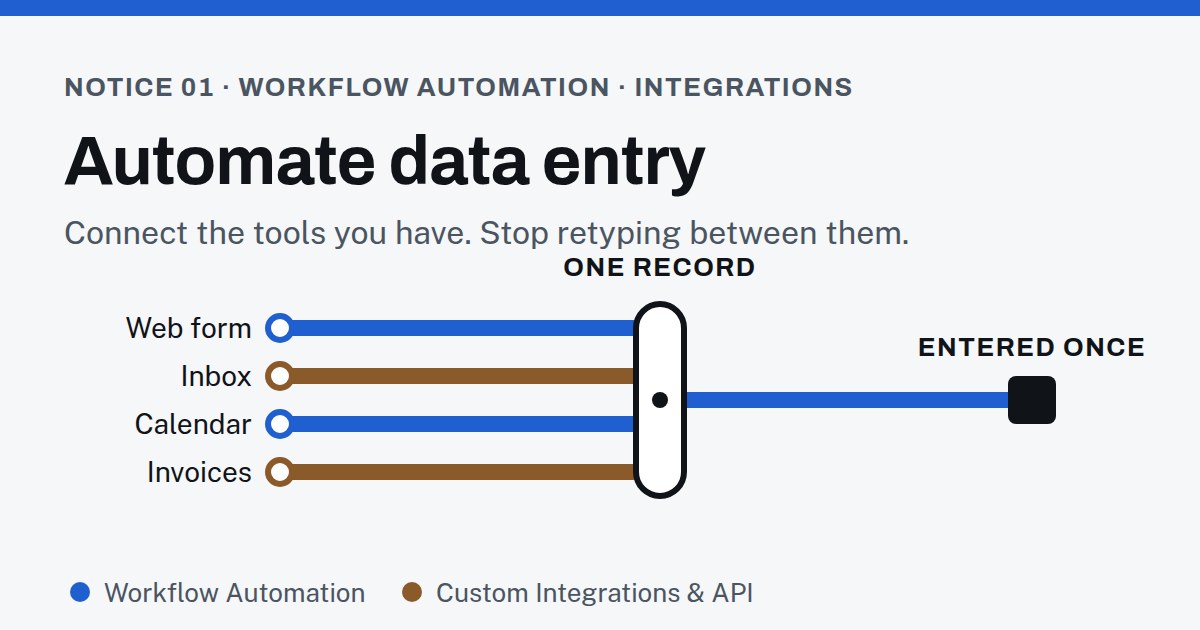
Data entry by hand: the hidden cost of copy and paste
Nobody decides to spend their week retyping. It accumulates: a form here, a spreadsheet there, one more app that doesn’t talk to the others. Asana’s Anatomy of Work research, which surveyed more than 10,000 knowledge workers, found that 60% of time at work goes to “work about work” — searching for information, switching between apps, chasing updates — rather than the skilled work people were hired for. The same research counts 209 hours a year spent on duplicated work, and an average of 10 apps in use every day.
That’s a software company’s survey of office workers, not a study of small businesses, so read the exact figures loosely. But if you run a business on a form, an inbox, a calendar, an invoicing tool and a spreadsheet, you know the shape of it.
Manual data entry errors: why checking your work doesn’t help
Time is the visible cost. Errors are the invisible one. In a controlled study published in Computers in Human Behavior, researchers had 195 participants enter data using three methods: typing it once, typing it once and checking it by eye, and typing it twice and comparing the two. Typing once produced errors at a rate of around 1%. Checking by eye was no better: both methods left roughly 30 times as many errors as double entry.
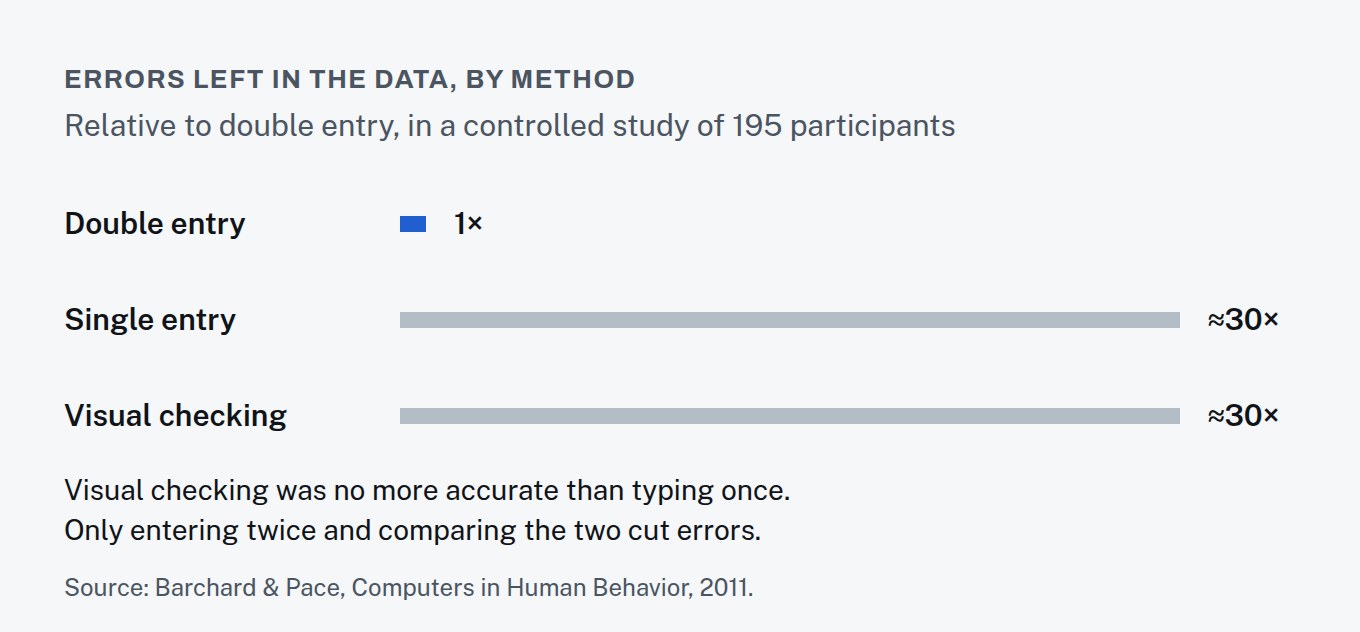
One percent sounds small until you apply it to a customer list: one wrong digit in a phone number, one misspelled email, and a follow-up never arrives. Nobody hires staff to type everything twice. The practical answer is to stop typing it a second time at all.
Automate data entry: pick one source of truth first
Before connecting anything, decide where each kind of record lives. Customer details live in the CRM. Appointments live in the calendar. Money lives in the accounting tool. Everything else reads from those places instead of keeping its own copy.
This sounds like a formality. It’s the step that decides whether automation helps or just moves the mess around: if two tools both think they own a customer’s phone number, connecting them means the wrong one can overwrite the right one.
Data entry automation: when this happens, do that
Every useful automation has the same shape: a trigger, then actions. A form is submitted. A contact is created in the CRM with everything the form collected. A welcome email goes out. Someone gets a task with the details attached, so they’re calling back instead of copying out.
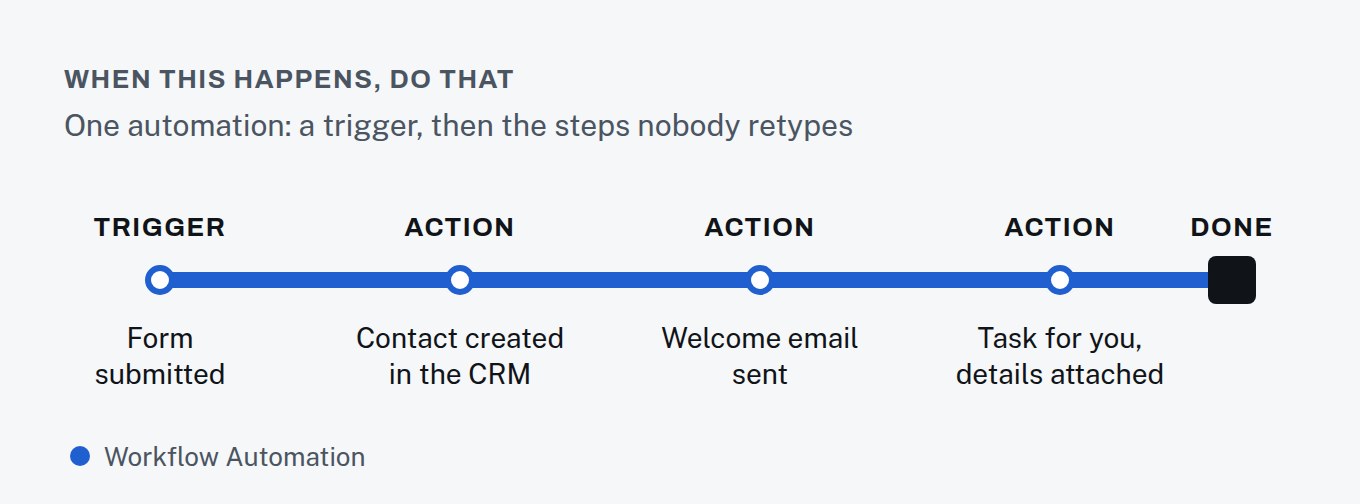
Start with the task you do most often and dislike most. That’s where our Workflow Automation line starts too: a week of noting what gets done by hand, then the first three automations, tested on real cases.
Automating data entry between tools that don’t connect
Some tools connect to each other out of the box. Some don’t, or connect in a way that moves only half of what you need. That’s where custom integration comes in: connecting systems through their APIs so data moves in the direction you decide, with errors caught rather than silently dropped. It’s what our Custom Integrations & API line does, and it never requires replacing a tool you’re happy with.
Two ideas cover most of how this works, and neither needs a technical background:
- An API is a tool’s front door for other software. Instead of a person logging in and copying a record, another system asks for it — or sends a new one — directly. A tool that has one documents what can pass through it.
- A webhook is a tool calling out when something happens. Rather than another system checking every few minutes for new bookings, the booking tool announces each new booking the moment it’s made, and the automation takes it from there.
What an integration needs from you isn’t technical either: which system owns each record, which direction data should move, and what should happen when the two disagree. Answer those, and the build itself is the easy part.
Automated data entry: keeping it healthy once it’s running
An automation that fails quietly is worse than no automation, because everyone has stopped checking. A few habits keep them trustworthy:
- Every automation has an owner. One named person gets told when it fails and decides what happens next.
- Failures are loud. If a step can’t complete — a field is missing, a service is down — someone gets an alert with the record attached, instead of the data disappearing.
- There’s a log. For each run: what triggered it, what it did, and whether it worked. When a customer says “I never got that email,” the log answers in a minute.
- Changes are reviewed. Tools update their fields and settings. When you change a form, rename a pipeline stage or switch software, check the automations that depend on it before the change, not after.
- They’re written down. A short plain-language description of each automation — trigger, steps, owner — means nobody has to reverse-engineer it later.
None of this is complicated, but it’s the part that decides whether automation still saves time a year later. It’s also why we report on automations monthly: what ran, what failed, and what was fixed.
Automating data entry: when it’s the wrong move
- If the process changes every week, automate it after it settles. Automating a moving target just makes the mess faster.
- If a task happens twice a year, a checklist is cheaper than an automation.
- If data shouldn't be copied into another tool at all, the right fix is to stop copying it, not to copy it faster.
Automate data entry: where to start
For one week, keep a note every time you type something that already exists somewhere else. At the end of the week, pick the item on that list that happens most often. That’s your first automation — and it’s what we’ll ask about first on a free call.