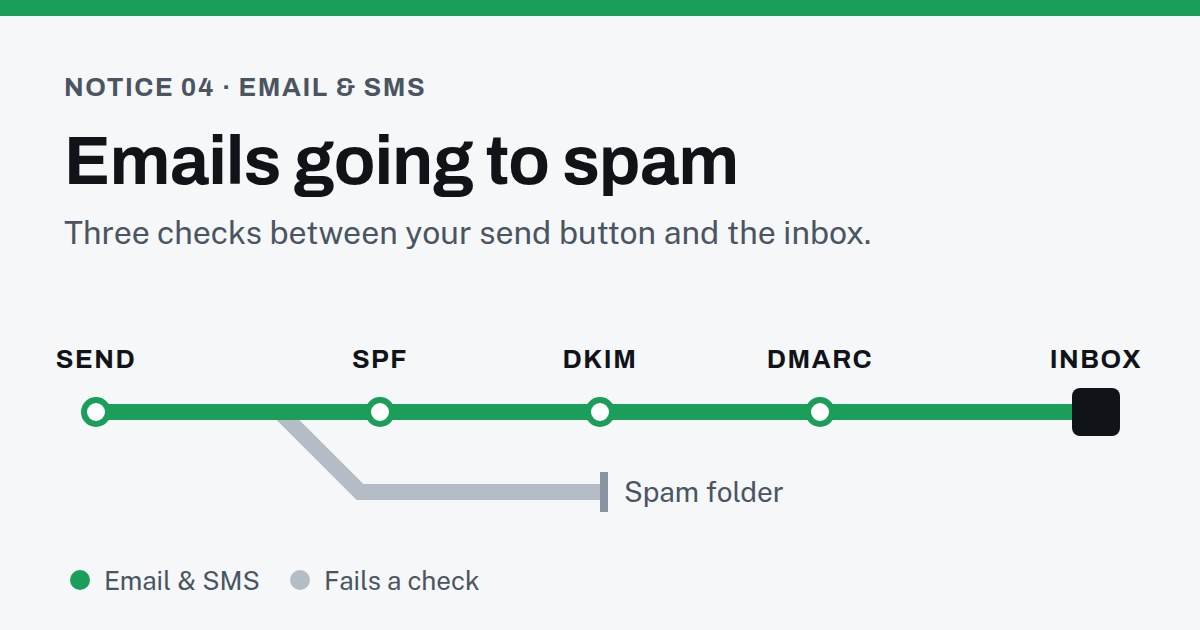
Emails going to spam since 2024: the rules changed
For years, getting into the inbox was mostly about not sounding like spam. That changed on February 1, 2024, when Gmail and Yahoo began enforcing new requirements for anyone sending them email.
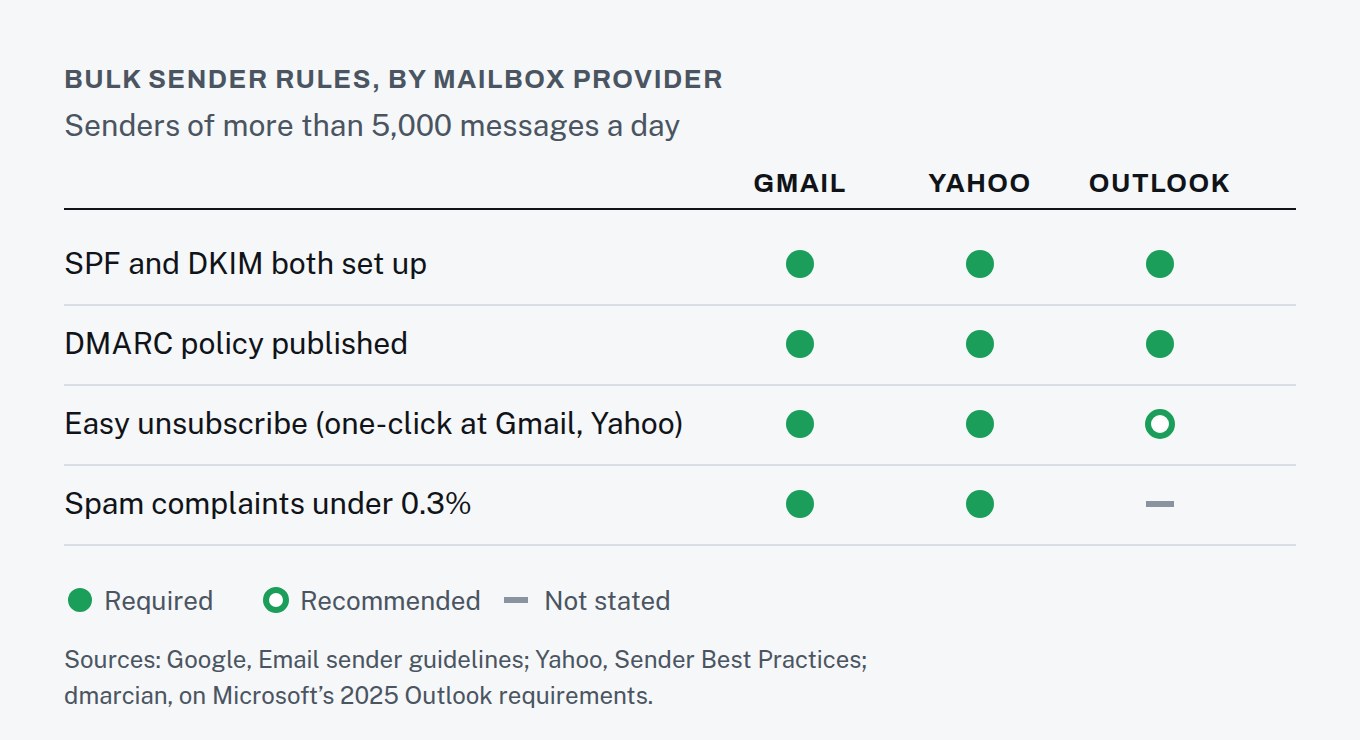
Gmail’s sender guidelines now require every sender to authenticate its mail with SPF or DKIM, to send from domains with valid DNS records, to use an encrypted connection, and to keep spam complaints below 0.3%. Yahoo’s requirements match them closely. Microsoft followed for Outlook, announcing requirements for high-volume senders in 2025: from May 5, 2025, Outlook began rejecting messages from those senders that don’t pass SPF, DKIM and DMARC.
Bigger senders face stricter rules. Gmail defines a bulk sender as anyone sending more than 5,000 messages a day to Gmail accounts, and Microsoft uses the same 5,000-a-day line for Outlook. Most small businesses sit well below that, but the all-sender rules above still apply to you.
Why emails go to spam: SPF, DKIM and DMARC in plain English
All three are records you publish in your domain’s DNS settings. None of them changes what your email says. They prove who sent it.
- SPF lists the services allowed to send email for your domain: your email host, your newsletter tool, your CRM, your booking system. Mail from anywhere else looks forged.
- DKIM adds a digital signature to each message, so the receiving server can confirm it came from your domain and wasn’t altered on the way.
- DMARC tells receiving servers what to do when a message fails those checks, and sends you reports about who is sending mail in your name.
One easy way to break all three: start using a new tool — a CRM, a scheduling app — that sends email as you, and never add it to SPF or give it a DKIM key. Gmail also requires bulk senders to align the domain in the From address with the domain that passed SPF or DKIM, which is exactly what breaks when a tool sends “as you” from its own servers.
A quick check: send yourself a message at a Gmail address, open it, and choose “Show original” to see its full headers. The Authentication-Results lines record whether each authentication check passed, SPF, DKIM and DMARC included.
Emails going to spam from other tools: the senders you forgot
Authentication only protects the senders you know about. It’s easy to send email from more places than you realize, and every one of them needs to be covered. Make a list:
- your own mailbox provider (the address you type from);
- your website’s contact form notifications;
- your newsletter or marketing email tool;
- your CRM and any automated follow-ups it sends;
- your invoicing or accounting software;
- your booking or scheduling app;
- any help desk or support inbox.
For each one, find out which domain it sends from and whether it can sign mail with DKIM for your domain. Look for a setting called something like “domain authentication” or “custom sending domain” — that’s where it’s done.
SPF has a limit that catches businesses using several tools: a domain’s SPF check may trigger no more than 10 DNS lookups, and exceeding that makes the check fail with a permanent error. Each tool you add to your SPF record with an include: uses at least one. Stack up enough tools and SPF breaks for all of them at once — which is one more reason DKIM for each sender matters.
Once DMARC is published, its reports show every service sending mail as your domain. The first reports can be surprising: an old tool nobody canceled, a form plugin sending from the web server. Fix those before tightening the policy from p=none.
Spam complaint rate: the number Gmail and Yahoo watch
Authentication gets you through the door. Complaints get you thrown out. Both Gmail and Yahoo require senders to keep spam complaints below 0.3%, and Google recommends staying under 0.10% and never reaching 0.30%.
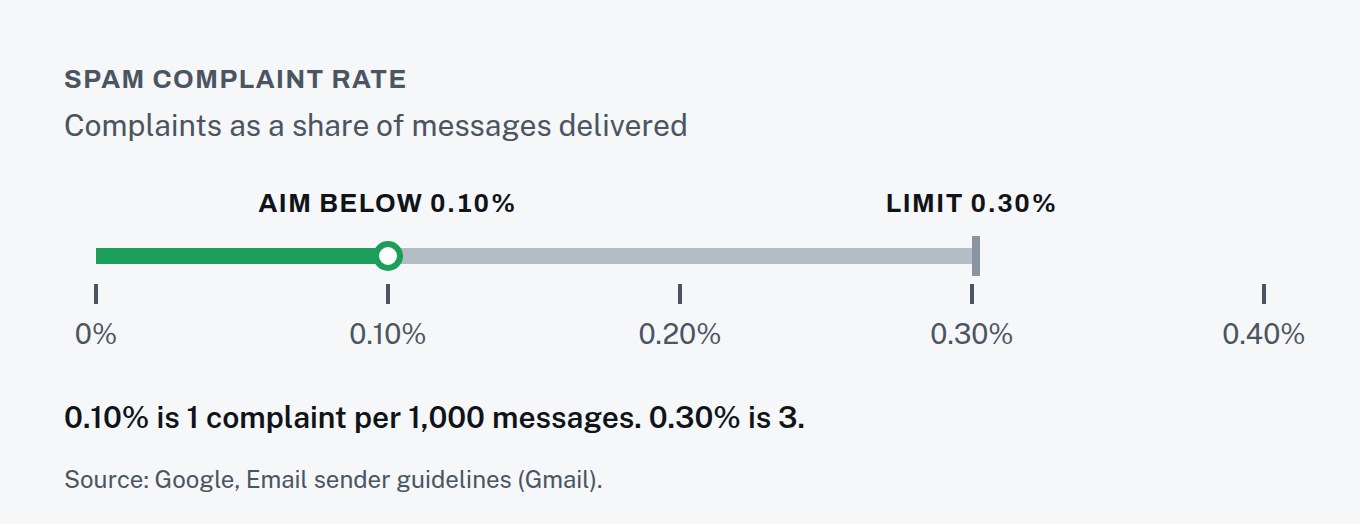
That’s a thin margin: three complaints per thousand messages. Emailing people who never asked to hear from you, or haven’t heard from you in years, is the fastest way to use it up. Gmail measures the rate through Postmaster Tools, where you can watch your own number.
Spam complaints and unsubscribe links: one click, honored fast
Gmail requires bulk senders’ marketing messages to support one-click unsubscribe and show a clearly visible unsubscribe link. Yahoo asks bulk senders to honor unsubscribes within two days.
This works in your favor. Someone who can leave in one click leaves. Someone who can’t find the link has one button left — “Report spam” — and that complaint counts against the 0.3%.
Spam law for business email: what CAN-SPAM requires
The mailbox providers’ rules decide where your email lands. The law decides what you’re allowed to send. The FTC’s CAN-SPAM guide is blunt: the law makes no exception for business-to-business email. Every commercial message must:
- include a valid physical postal address — a street address, P.O. box or registered private mailbox;
- avoid deceptive subject lines — the subject has to reflect what’s inside;
- honor opt-out requests within 10 business days.
The penalties aren’t small: up to $53,088 for each email that violates the law.
Fix emails going to spam: where to start
Make a list of every tool that sends email as your business, then check that each one is covered by SPF and signing with DKIM. Publish a DMARC record — p=none is the minimum Yahoo accepts and a sensible first step — and read the reports before you tighten it. Then look at your list: anyone who never opted in shouldn’t be on it.
If that’s more DNS than you want to think about, it’s the first thing we check on our Email & SMS line, before a single campaign goes out.