Google Ads wasted spend: what a wrong click costs now
A wasted click used to be cheap enough to ignore. It isn’t anymore. LocaliQ’s 2026 benchmarks, drawn from thousands of its customers’ campaigns across Google Ads and Microsoft Ads, put the average cost per click for search ads at $5.42, the average conversion rate at 8.18%, and the average cost per lead at $66.69.
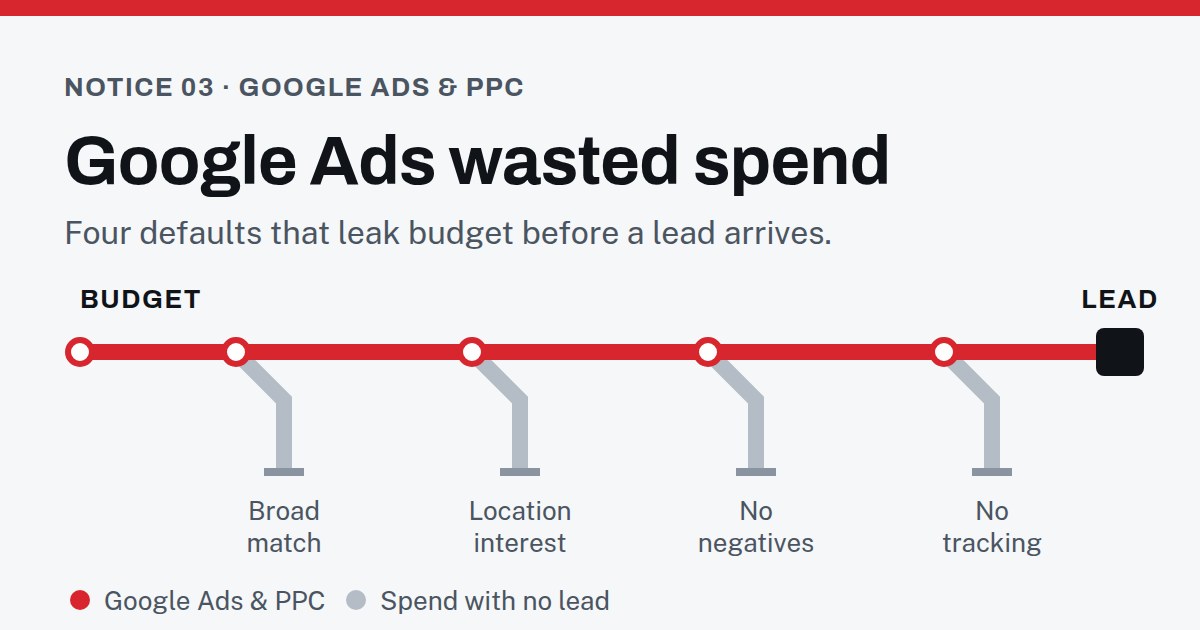
Averages hide a lot, and your industry may pay far more or far less. But the arithmetic holds either way: at the average price, ten irrelevant clicks a day is about $54 a day, most of the way to the average cost of a real lead. Wasted spend in a small account doesn’t need one big mistake. Four settings left at their defaults can do it on their own.
Google Ads broad match: the default that matches too much
When you add a keyword, Google assigns it a match type, and broad match is the default. Google describes broad match plainly: ads “may show on searches that are related to your keyword, which can include searches that don’t contain the direct meaning of your keywords.”
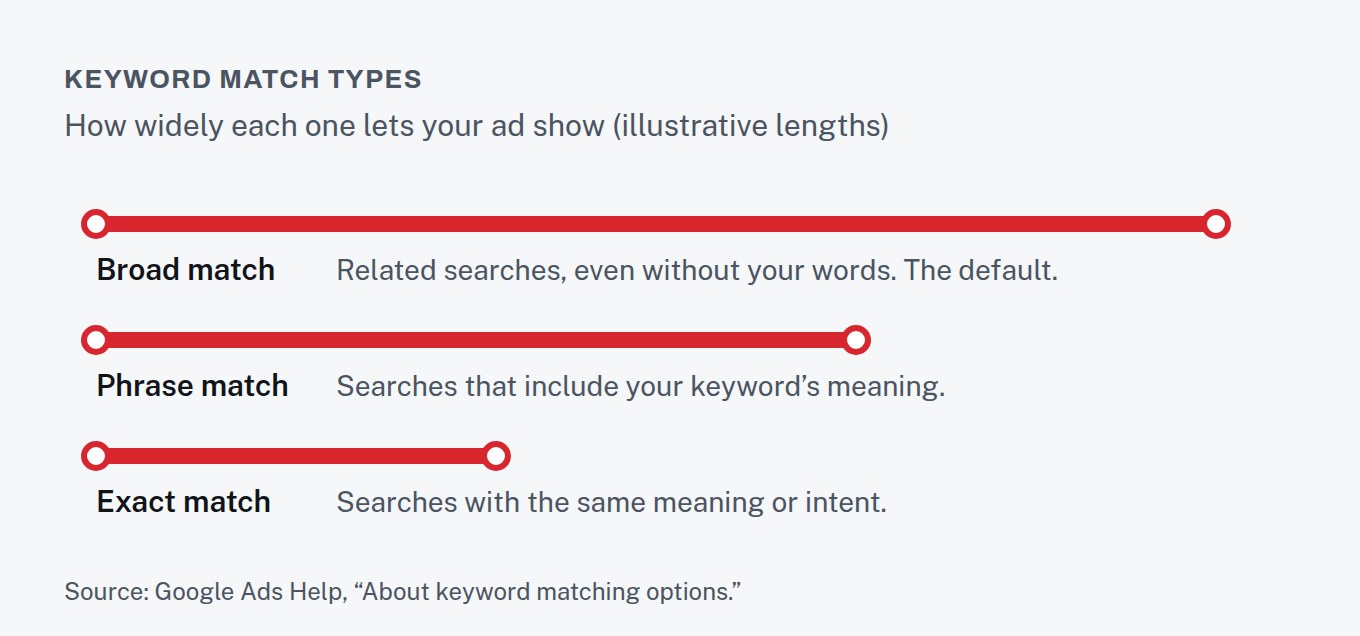
Broad match isn’t always wrong: reaching related searches is how it surfaces ones you’d never have thought of. But the same reach also finds searches you’d never have paid for, and without conversion tracking the account can’t tell the two apart. Phrase match (the keyword’s meaning must be included) and exact match (same meaning or intent) give you more control and less reach. For a small budget still learning what works, control is the safer choice.
Wasted spend in the search terms report: see what you paid for
Your keywords are what you asked for. The search terms report shows what you actually got: the real searches people typed before your ad appeared and they clicked. It’s the most useful screen in the account.
Open it for the last 30 days and sort by cost. You’re looking for searches that could never become a customer: job seekers, people wanting something free, people researching how to do it themselves, competitors’ brand names, services you don’t offer.
Google Ads negative keywords: stop paying for the wrong searches
Google’s own advice for those searches is direct: “If a search term isn’t relevant enough to the products or services you offer, add it as a negative keyword.” Negative keywords exclude those searches from your campaigns, which Google says helps you focus on the keywords that matter and can improve your return.
Starting a new account with an empty negative list means paying to discover every irrelevant search one click at a time. A starter list built before launch, plus a weekly look at the search terms report in the first months, catches them before they add up.
Negative keyword ideas: a starter list
A starter list doesn’t need to be clever. It needs to cover the searches that could never become a customer for your business. Groups worth checking before launch, adapted to what you sell:
- Jobs: jobs, careers, hiring, salary, internship, résumé.
- Free and cheap: free, template, sample — unless free is part of your offer.
- Do-it-yourself: how to, DIY, tutorial, guide, course, training, certification.
- Research-only: definition, meaning, Wikipedia, PDF, examples.
- Wrong product: the services you don’t offer, and the places you don’t serve.
Go through the list with care rather than pasting it in. “Course” is a waste for a plumber supply store and the whole business for a driving school. A negative keyword blocks every search that contains it, so one careless word can switch off good traffic along with the bad.
After launch, the search terms report is where the list grows. Expect the first weeks to turn up patterns nobody predicted. That’s why the report is worth opening weekly at first and monthly once it has quieted down.
Google Ads location targeting: the “presence or interest” default
This one is easy to miss. When you target a location, Google’s default and recommended option is “Presence or interest”: it reaches people in or regularly in your area, and people elsewhere who have shown interest in it. The alternative, “Presence,” shows ads only to people likely to be in, or regularly in, the places you’ve chosen.
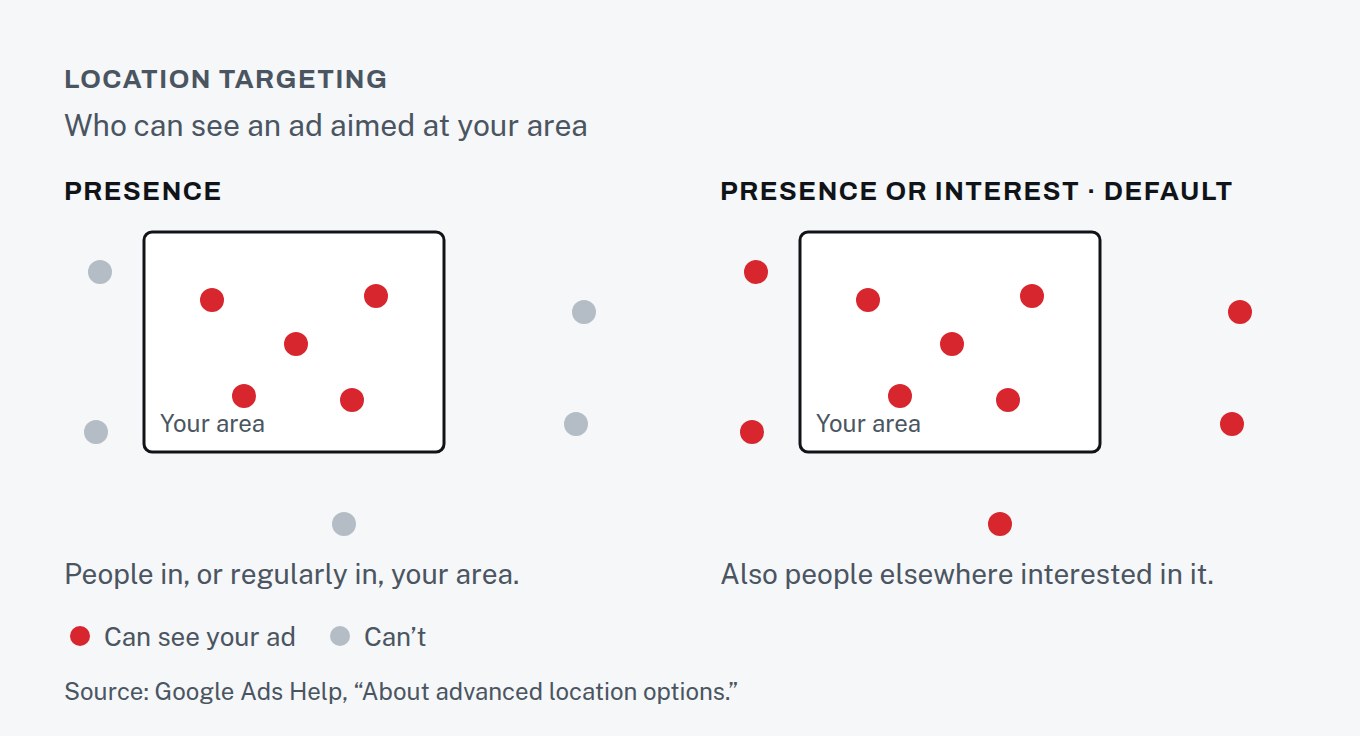
If you sell something people travel for or research from afar, the default can make sense. If you serve a local area in person, clicks from people who will never be nearby are pure waste. It’s one setting, and it takes a minute to change.
Google Ads conversion tracking: count calls and forms, not clicks
Without conversion tracking, Google Ads can tell you what you spent but not what you got. Conversion tracking lets you choose what counts as valuable — a purchase, a sign-up, a phone call — so campaigns can be optimized toward it.
For service businesses, calls matter as much as forms. Google can track calls directly from your ads, calls to a number on your website, and taps on a phone number on your mobile site. It can also import sales that closed offline, so a lead that became a customer three weeks later still counts.
An account without conversion tracking is optimizing for clicks, because clicks are all it can see.
Cut Google Ads wasted spend: where to start
Open the search terms report and add the obvious negatives. Check your location option. Make sure at least one real conversion — a form, a call — is being recorded. Those three steps take an afternoon and cost nothing.
If you’d rather someone else did it, that audit is the first stop on our Google Ads & PPC line: the account stays in your name, and we tell you straight whether paid search is worth it for your business.